
Founder Web Portal
Manage Team & Departments
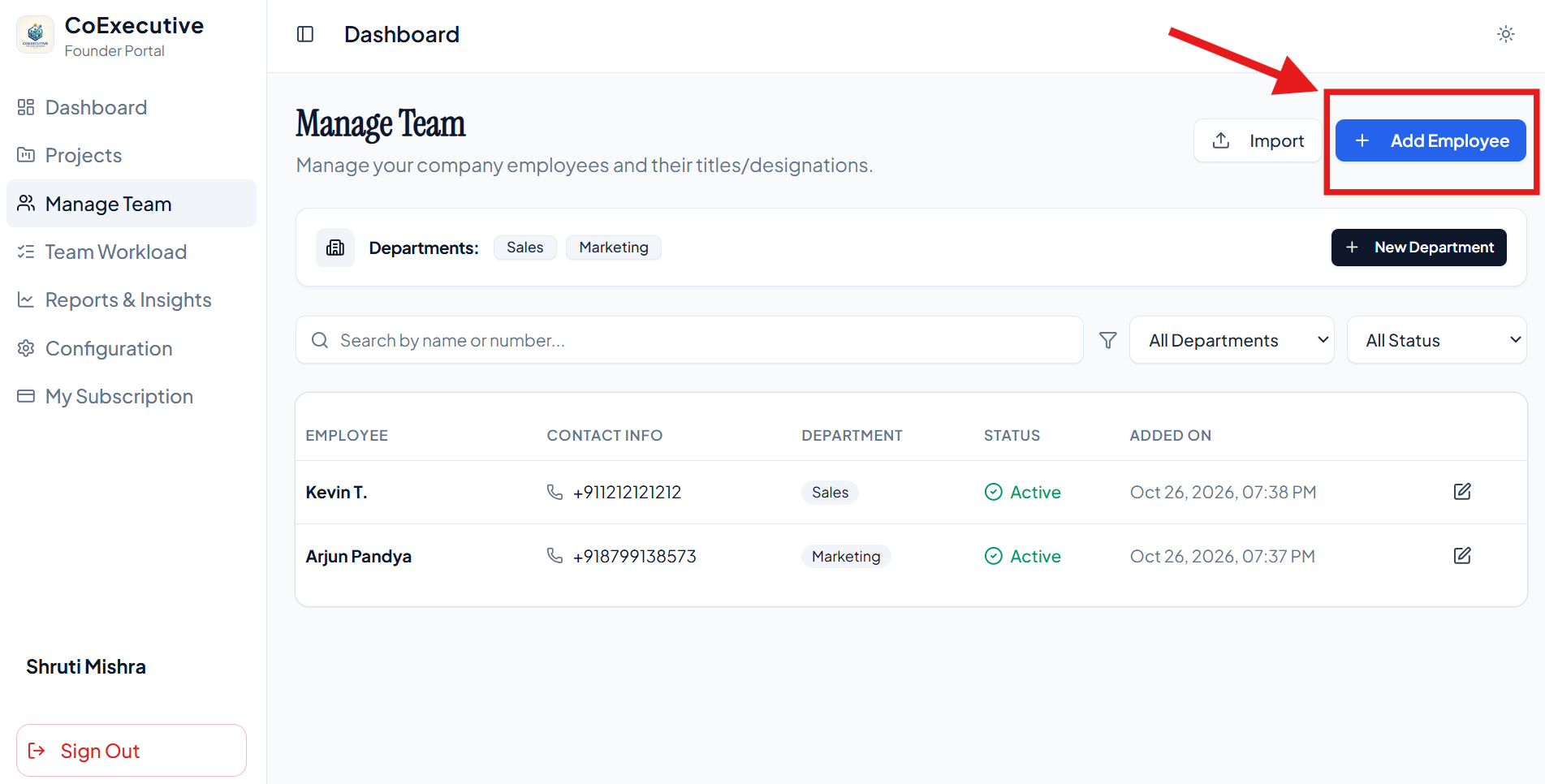
Add, edit, bulk-import, or deactivate employees and organize departments on the Manage Team page (/employees).
The Manage Team (/employees) page is your central directory for everyone who receives tasks from the CoExecutive WhatsApp Agent.
Employee Profile Fields
Each employee record in CoExecutive includes:
| Field | Required | Usage in CoExecutive |
|---|---|---|
| Full Name | Yes | Displayed in the WhatsApp Assign Tasks dropdown, escalation alerts, and executive reports. |
| WhatsApp Number | Yes | Must include the country code (e.g., +91). Used by the CoExecutive WhatsApp Agent to dispatch tasks, check-ins, and recognize incoming replies from that employee. |
| Department | Optional | Groups team members in your roster and analytics views (e.g., Sales, Operations, Engineering, Finance). |
| Designation | Optional | Records the employee's role or title for clarity across reports. |
Managing Departments (DepartmentManager)
Click the Departments button at the top of Manage Team (/employees) to open the Department Manager:
- Create New Departments: Add custom departments tailored to your organization's structure.
- Assign & Reassign: Select any created department when adding or editing an employee profile.
Bulk Importing via Excel / CSV (ImportEmployeesModal)
To onboard an entire team or department in one step:
- Click Import on the Manage Team (
/employees) page. - Download the provided template file to ensure your columns match (
Full Name,WhatsApp Number,Department,Designation). - Upload your
.csvor.xlsxspreadsheet and confirm the validated preview.
Editing or Removing Team Members
- Updating a Phone Number or Name: Click Edit on any employee row. When you update an employee's WhatsApp number, all of their existing tasks and historical performance metrics stay linked to their profile, and future WhatsApp notifications route to the updated number.
- Deactivating / Removing an Employee: If an employee leaves the company, remove or deactivate their profile from Manage Team so they no longer appear in your WhatsApp task assignment dropdown or receive scheduled check-in nudges.
Operational Dashboard & Real-Time Pulse
Understand the KPI cards, 30-day workflow execution chart, and task status distribution on your Operational Dashboard (/dashboard).
Project Portfolio Management
Create, filter, archive, and restore projects on the Projects page (/projects) in the Founder Web Portal.