
Founder Web Portal
Project Portfolio Management
Create, filter, archive, and restore projects on the Projects page (/projects) in the Founder Web Portal.
The Projects (/projects) page lets you organize your company's workstreams, track task completion rates per initiative, and archive finished projects so your WhatsApp assignment dropdown stays clean and focused.
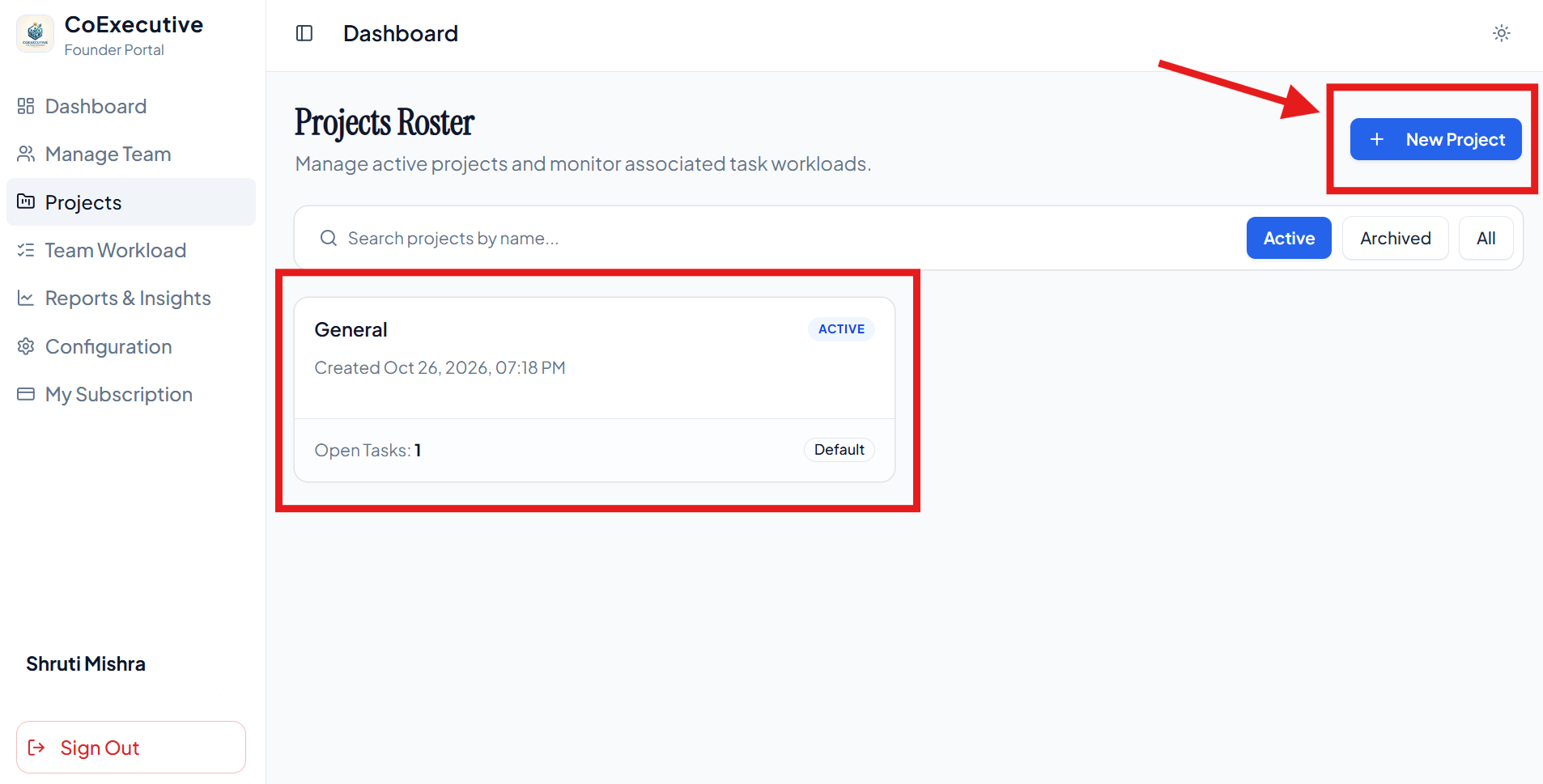
The Default "General" Project
Every company workspace automatically includes an active General project from day one.
- Always Ready: Any task that does not belong to a specific client or campaign can be assigned under
General. - Default Selection: In the WhatsApp Assign Tasks form,
Generalis available automatically so you never have to create a project before delegating work.
Creating & Editing Projects
- Click New Project in the top-right corner of Projects (
/projects). - Enter the Project Name and click Create.
- Need to rename an existing project? Click the edit action on the project card to update its title—all tasks and historical reports linked to that project update automatically.
Archiving vs. Restoring Projects
As campaigns conclude or client retainers wrap up, you want to remove old projects from your daily WhatsApp 1️⃣ Assign Tasks dropdown without losing their historical data:
- Archive a Project: Click Archive on any completed project card.
- The project moves to the Archived tab.
- It no longer clutters the project selector inside the WhatsApp assignment form.
- All historical tasks, audit trails, and SLA metrics for that project remain intact in Team Workload (
/analytics) and Reports & Insights (/reports).
- Restore an Archived Project: Switch to the Archived filter tab on
/projectsand click Restore (or Unarchive) to make the project active again for new WhatsApp task assignments.