
Plans, Mandates, Upgrades & Billing
How CoExecutive plans, the 7-day free trial ₹1 Cashfree mandate, pro-rated upgrades, downgrades, and cancellations work.
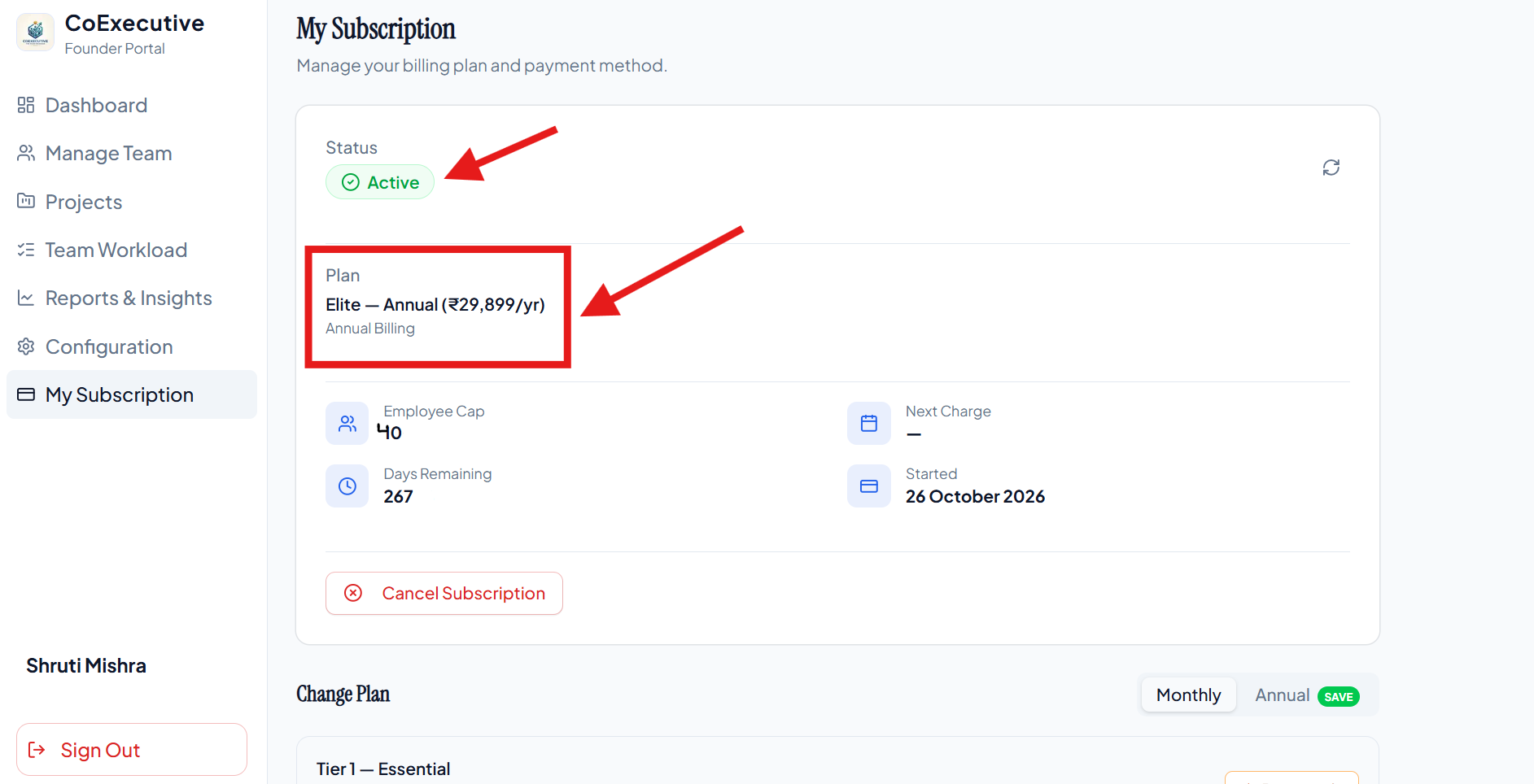
You can view your current billing status, switch tiers, or manage your recurring mandate anytime from My Subscription (/subscription) in the Founder Web Portal.
1. Subscription Tiers & Employee Caps
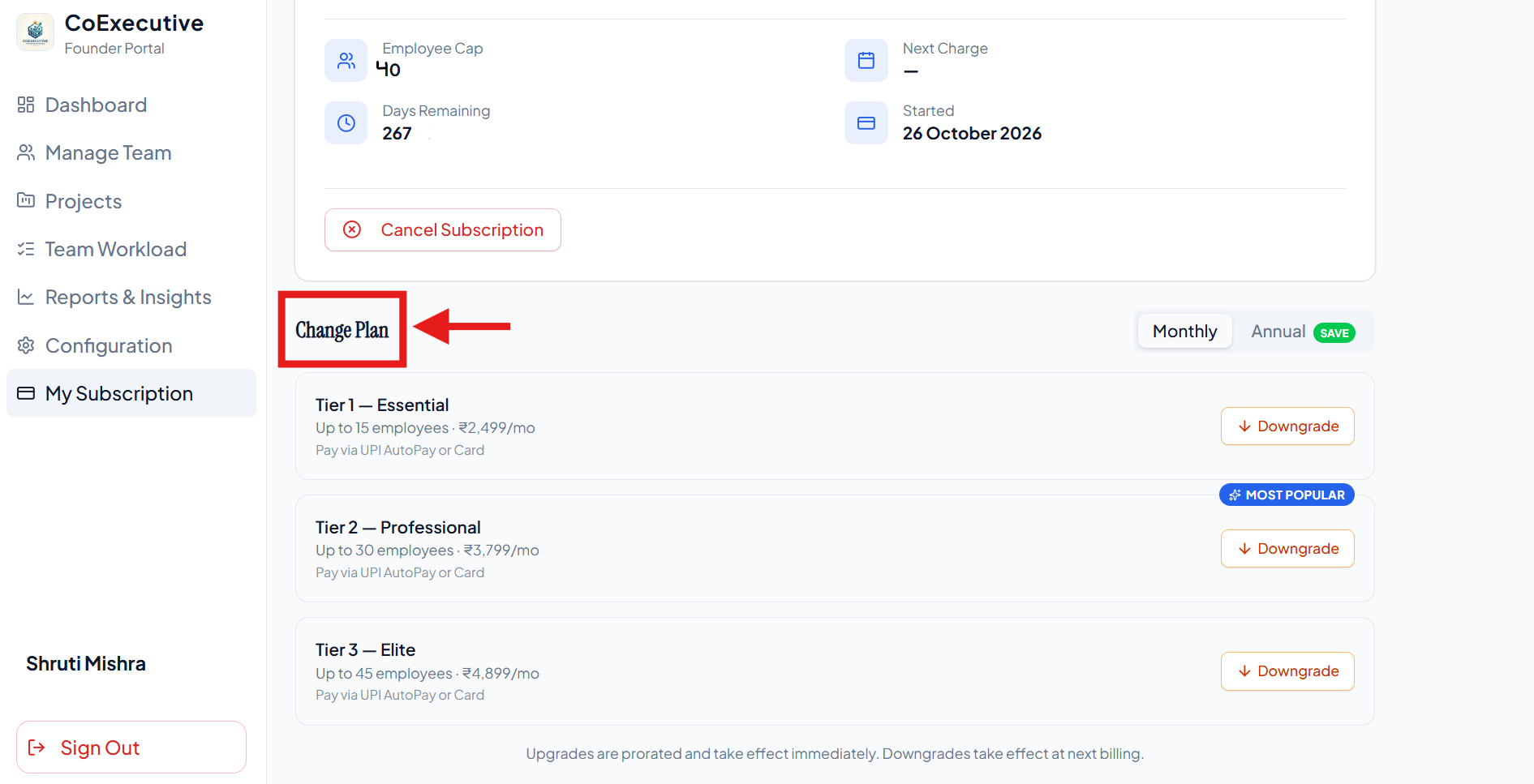
CoExecutive offers three tiers—available on either Monthly or Annual billing cycles—scaled according to your active team size:
| Tier | Team Size Cap | Included Capabilities |
|---|---|---|
| Tier 1 — Essential | Up to 15 employees | Full WhatsApp Agent delegation, automated check-ins, escalations, and Founder Web Portal. |
| Tier 2 — Professional (Most Popular) | Up to 30 employees | Everything in Essential for growing multi-department teams up to 30 members. |
| Tier 3 — Elite | Up to 45 employees | Everything in Professional with capacity for up to 45 active team members. |
For current Monthly and Annual pricing and annual savings details, visit our live Pricing page.
2. The 7-Day Free Trial & Cashfree Mandate Setup
Every new workspace starts with a 7-day free trial. To ensure uninterrupted service when your trial ends, CoExecutive registers an automated recurring mandate via Cashfree:
- Supported Payment Methods:
- UPI AutoPay & Cards (7-Day Free Trial): Available for monthly plans and eligible annual plans (≤ ₹15,000). Includes a ₹1 refundable verification charge (automatically refunded within 1–2 business days) and activates immediately.
- Bank Mandate (eNACH): Required for annual plans above ₹15,000 (and optionally available across all plans when enabled). Mandate verification uses a ₹1 refundable verification charge and typically completes within 24–48 hours (
Bank Approval Pending). Because eNACH mandates do not carry a free trial, full access unlocks automatically as soon as your first debit settles (~4 business days).
3. Upgrading or Downgrading Your Plan
You can switch between tiers (Essential, Professional, Elite) or billing cycles (Monthly $\leftrightarrow$ Annual) anytime by clicking Change Plan on My Subscription (/subscription):
How Upgrades Work
- During Your 7-Day Free Trial: Your upgraded tier and higher employee cap activate immediately at zero extra charge today. Your first recurring charge happens when your trial period concludes.
- On an Active Paid Subscription (UPI / Card): CoExecutive automatically calculates a pro-rated credit for the unused days remaining on your current billing cycle (
Credit for unused time). You only pay the net difference today, and your higher employee cap unlocks immediately. - On an Active Paid Subscription (Bank Mandate / eNACH): Your current plan remains active while your bank verifies and debits the full new plan amount (~4 business days). Upon debit success, your unused days' value is converted into compensating bonus days added directly to your new billing period.
4. Subscription Status Badges Explained
On My Subscription (/subscription), your account badge reflects your real-time billing state:
- 🟢 Active (
TRIAL/PAID): Your mandate and subscription are in good standing. - 🟡 Bank Approval Pending (
SETUP_PENDING): Your bank is verifying an eNACH/netbanking mandate (usually completed within 24–48 hours). - 🟠 On Hold (
GRACE): A recent renewal charge did not go through. Your workspace stays active during a short grace window so you can update your payment method without disrupting your team. - 🔴 Cancelled / Expired (
LOCKED): Your subscription has ended. Automated employee reminders and task assignments pause until you click Renew Subscription on/subscription.
5. Cancellation Policy
You can cancel your subscription at any time from My Subscription (/subscription) with two clicks:
- Click Cancel Subscription and confirm in the dialog.
- No Immediate Lockout: Your workspace and WhatsApp automations remain fully active until the end of your current trial or paid billing period.
- Once the current period ends, no further recurring charges are made, and your workspace transitions to the paused/locked state until you choose to re-subscribe.
The CoExecutive Nudge & Escalation Engine
Deep dive into how CoExecutive automates acknowledgement reminders, daily employee check-ins, blocker alerts, and deadline escalations.
Common Questions & Troubleshooting
Quick answers and fixes for WhatsApp delivery, phone number formatting, dual founder/employee numbers, and billing mandates.